Workshop
Log in

For Christmas light installers

The shop system for the whole season.

Quote the house, draw the lights on a photo, schedule the crew, and roll the job into next year.

Elf's Workshop is opening soon. Already have an account? Log in above.

See features

14-day free trial · No card to start

Workshop dashboard

Sample proposal

18 Oak Street

1-year total$2,480

Deposit$1,240

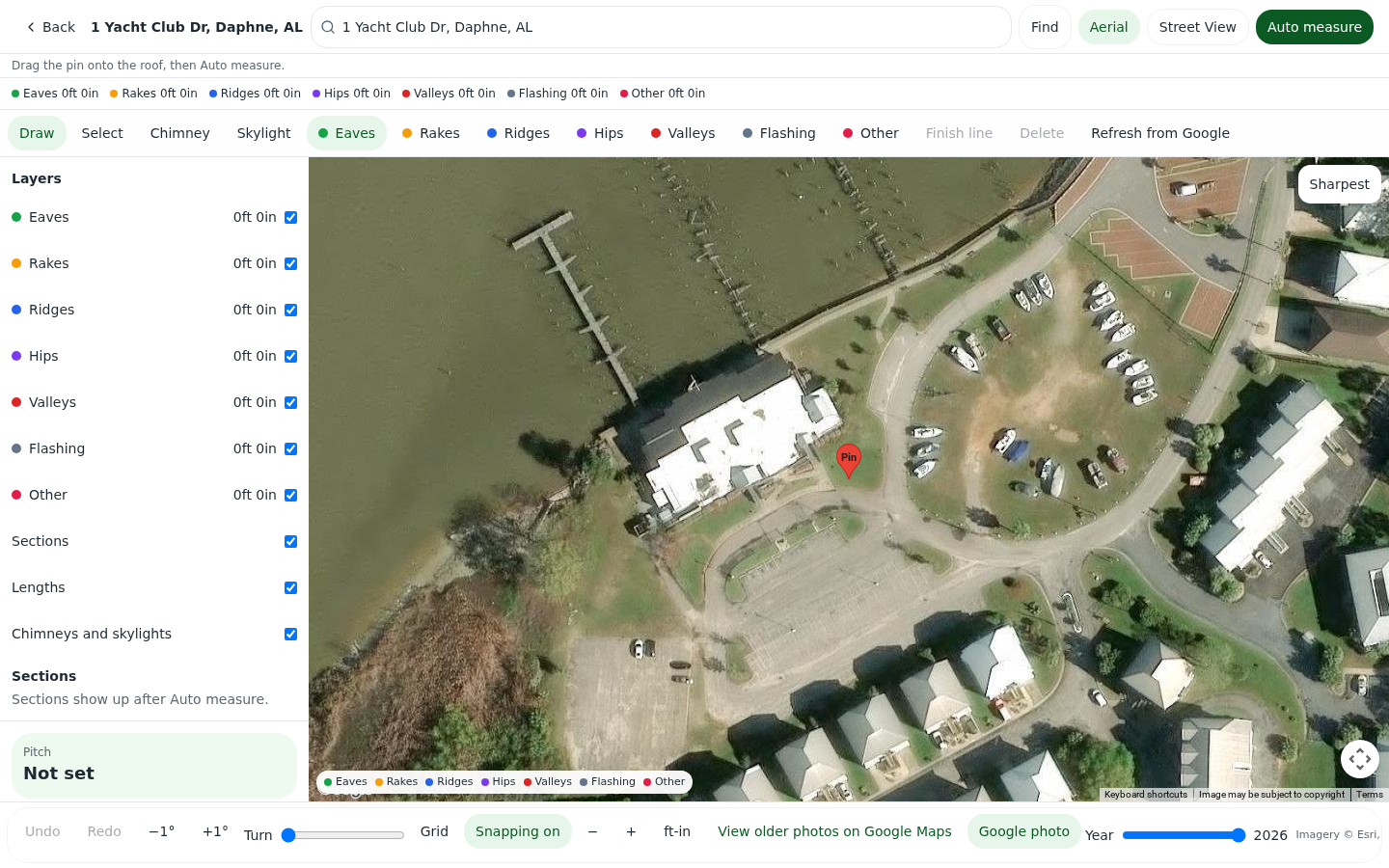
Measure the roof in Workshop

Auto measure

Measure the roof from your desk.

Workshop drafts the roof lines for you, or you draw them yourself, then totals roofline, ridge, hips, valleys, eaves, and rakes with the pitch. Check it in 3D and download a roof report.

  • Automatic roof drafts
  • Draw or adjust any line yourself
  • Feet by edge type, with pitch
  • 3D roof view and roof report
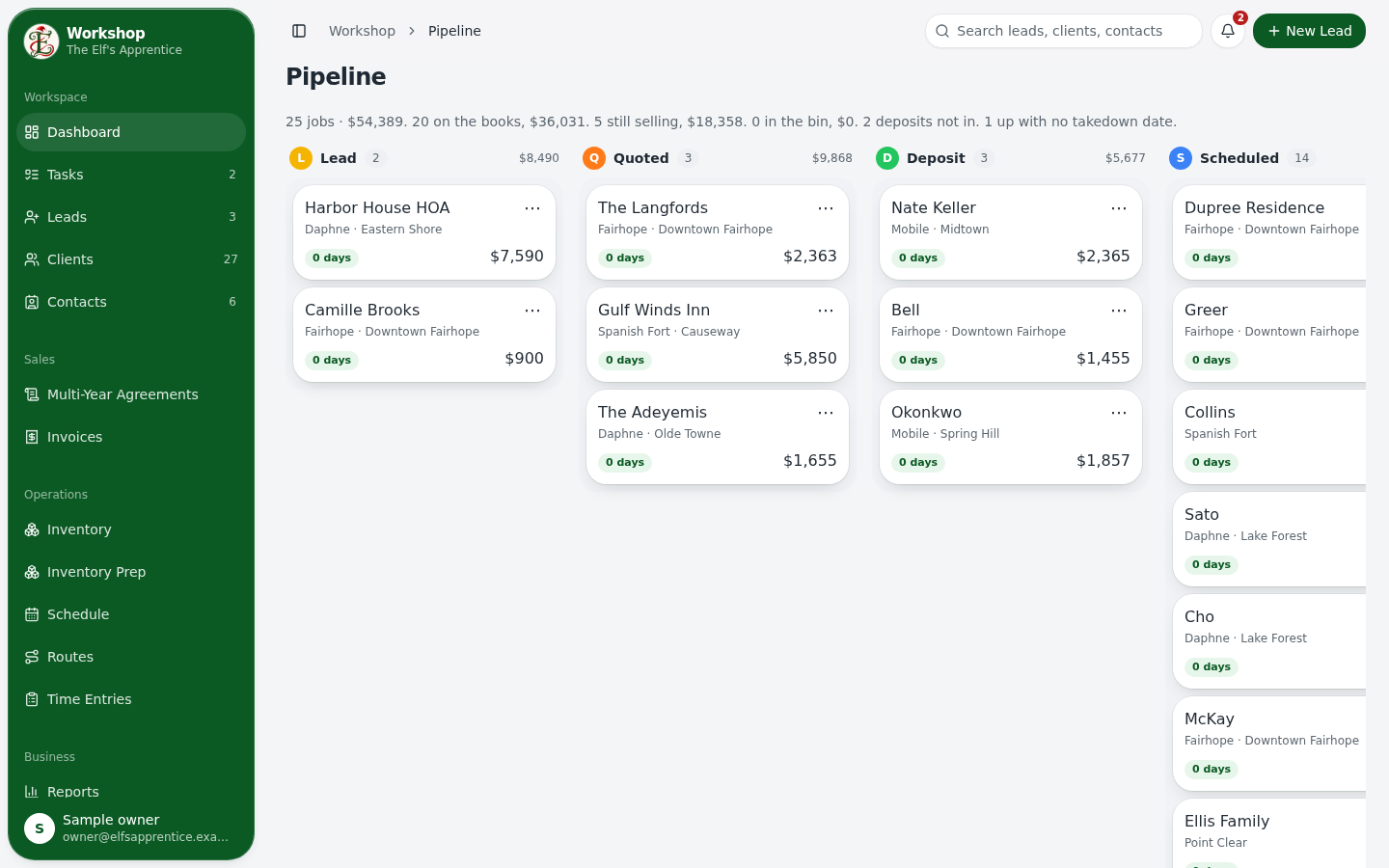
The job pipeline in Workshop

Run the season

Every job, from lead to back in the bin.

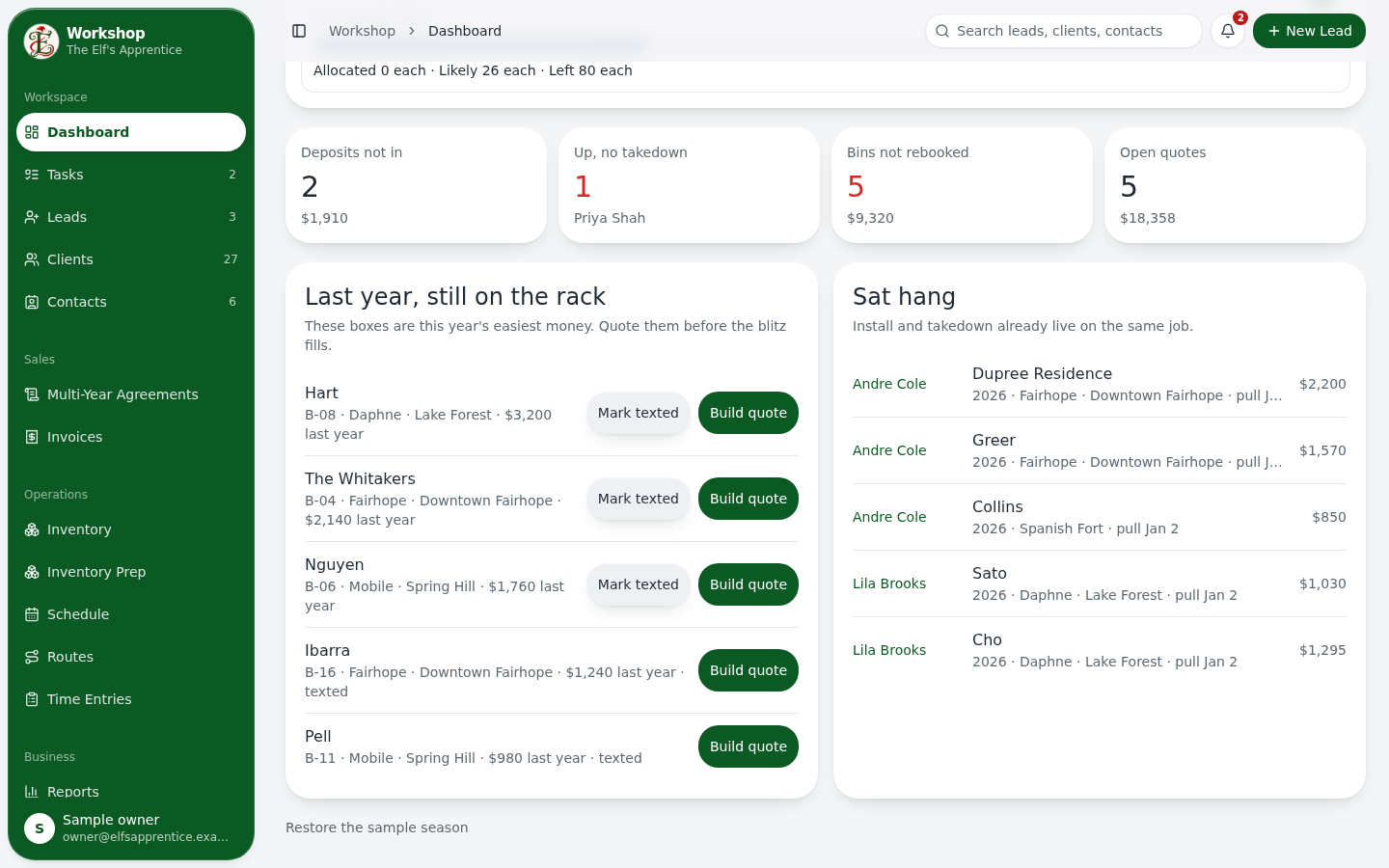
A seven-stage pipeline, a calendar for installs and takedowns, routes for each hang day, and a dashboard that shows what needs you today.

  • Lead, quoted, deposit, scheduled, on the house, takedown, in the bin
  • Schedule and routes
  • Action items and @mentions
  • Time clock for the crew

A live demo of the customer portal. Drag the slider or tap the options.

Customer portal

Your customers get their own page.

They see the proposal, sign it, pay the deposit or invoice, pick an install day, add lights, and send a photo when a bulb is out.

  • View and sign the proposal
  • Pay the deposit and invoices
  • Pick an install day
  • Request a service call with a photo

Everything in the shop

Same tools on every plan. Nothing here is an add-on.

  • Auto roof measure

    Drafts every roof edge for you, or draw it yourself.

  • 3D roof view

    Spin the measured roof and check each section's pitch.

  • Lights mockups

    Draw the lights on the customer's house photo.

  • Proposals with e-sign

    Options, multi-year terms, and a signature they do online.

  • Deposits and invoices

    Deposit follows the total. Take payment through Square.

  • Christmas Club

    Spread the season into payments.

  • Job pipeline

    Seven stages from lead to in the bin.

  • Schedule and routes

    Installs, takedowns, and the hang-day route.

  • Clients and leads

    Lead status, source, salesperson, and Do Not Contact.

  • Customer portal

    Proposals, payments, install day, and service requests.

  • Texting

    Text from your own Twilio number.

  • Email

    Send from your connected Gmail or Microsoft account.

  • Roles and salespeople

    Owner, office, sales, production, installer, or your own roles.

  • Install map and takedown

    Strands, plugs, and a pull list the crew can check off.

  • Inventory and prep

    Bins on the rack and a Wintergreen order list.

  • Time clock

    Crew punches and the week's hours.

How a season runs

  1. 01

    Measure and mock up

    Pull the house from Street View or a photo, draw the lights, and price the lines.

  2. 02

    Send the proposal

    They check the options, pick the years, and sign. The deposit follows the total.

  3. 03

    Schedule the crew

    Install and takedown land on the calendar with a crew attached.

  4. 04

    Get paid and re-up

    Invoice in Square, or run Christmas Club, then roll the job into next year.

Plans from $48/mo billed yearly

The plan only changes how many people can log in. Texting is included on all three.

See pricing

Open a workshop for this season.

Elf's Workshop is opening soon. Already have an account? Log in above.